
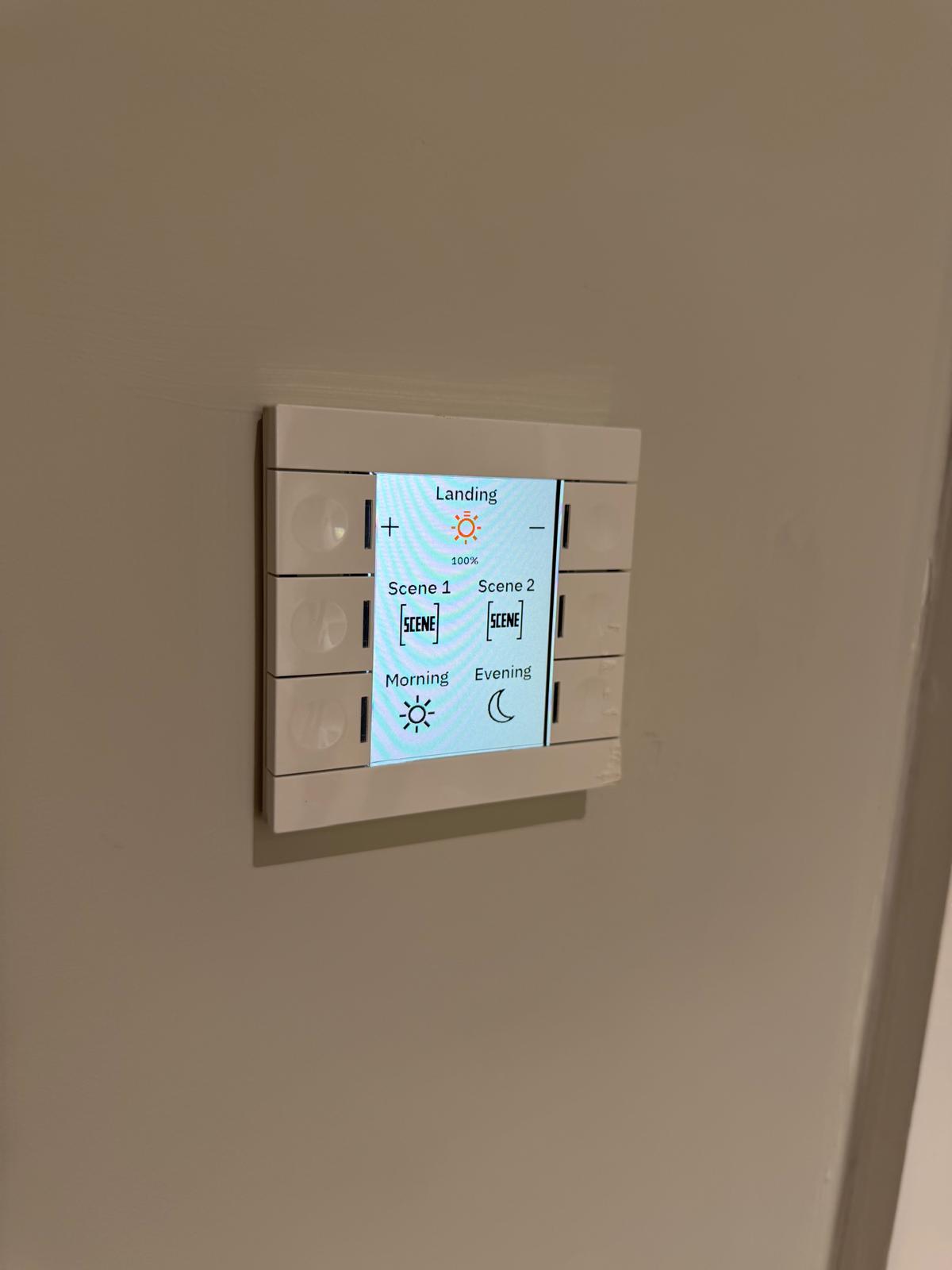
When you are planning a self-build, the light switches are easy to leave until the end. They are also the part of the house you touch every day, so the choice between a wired system like KNX and Wi-Fi switches is worth making early, while the walls are still open.
Both can control lighting, and both can be grouped into scenes. The difference is in how they carry the signal, how they behave when your network has a bad day, and how much of the decision has to be fixed during first fix. This post covers what separates wired vs wireless home automation, and which approach tends to suit a self-build valued from £700,000 upwards.
What is the difference between wired and wireless switches?
KNX is a wired standard. Each switch, sensor, and dimmer connects to a dedicated twisted pair bus cable that runs alongside your mains wiring. Control commands travel on that bus, which is used for nothing else.
Wi-Fi switches, sometimes sold as Wi-Fi smart switches, work the other way. Each switch has its own radio and joins your home Wi-Fi network, sending commands over the same connection that carries your streaming, video calls, and everything else in the house. Many also route through a manufacturer's cloud server, so a command can travel out to the internet and back before the light comes on.
That single structural difference, a dedicated wire against a shared radio, drives almost everything else that follows.
Do Wi-Fi switches work without the internet?
Often, no. A lot of Wi-Fi switches depend on a cloud account to work fully. If your broadband drops, or the manufacturer's server has an outage, voice control and app control can stop, and scenes can fail. The physical switch usually still toggles the light, but the automation around it goes quiet.
KNX has no such dependency. The bus runs locally inside the house, with no router and no cloud in the path for core control. A broadband outage has no effect on whether your lights, blinds, or heating respond. For a home you plan to live in for decades, that independence matters more than it first appears.
How reliable are KNX switches compared with Wi-Fi?
Wired systems are generally more reliable because they are not competing for airtime. KNX signals travel on a bus built only for control, so they are not slowed by a busy 2.4 GHz band, thick stone walls, or a neighbour's network bleeding into yours.
Wi-Fi switches share spectrum with every other radio in the house. In a small flat with a handful of devices, that is rarely a problem. In a larger home with dozens of switches, sensors, and connected devices, congestion and dropouts become more likely, and they tend to get worse as you add more kit.
Wireless still has its place. It avoids pulling extra cable, which suits a finished home or a light refurbishment where lifting floors is not an option. On a new build, where the cable can go in before plaster, that advantage disappears.
What does each cost to install and run?
KNX costs more upfront. The bus cable, the modules, and the programming all add to the first-fix budget, and the system is usually specified and commissioned by a specialist integrator. Once installed, running costs are low, and a well-built system will outlast several generations of wireless kit.
Wi-Fi switches are cheaper to buy and need no extra cabling, which is their main appeal. The trade-off shows up over time:
- Apps change. Manufacturers update or retire their apps, and a switch that worked well on day one can lose features after an update.
- Cloud services close. If the maker withdraws the service a switch relies on, the automation around it stops too.
- Hardware follows a consumer cycle. Wireless switches are designed and replaced like phones, while the wiring in your walls is expected to last as long as the house.
- Every switch joins your network. A large home with dozens of them asks a lot of a single router.
For a home valued from £700,000 upwards, tying core control to a consumer product cycle is a real risk. The switches on the wall should still work the same way in fifteen years, and that is a harder promise to keep with hardware that depends on a cloud service.
What should a self-builder check before deciding?
The decision is easier once you know what you are actually comparing. Before you commit, work through a few practical points:
- Does everyday control keep working if the broadband or the manufacturer's cloud goes down?
- Who can change scenes and settings once you have moved in, and does it need a specialist?
- How long will the hardware be supported, and what happens if it is discontinued?
- How many devices will sit on your home network, and can it cope?
- What has to be decided before first fix, while the walls are still open?
Run any Wi-Fi switch and any wired option through those five questions and the differences stop being abstract. For most self-builds, the answers point towards wiring while the house is open.
Which should you specify in a new build?
If the walls are open, wiring for control is the stronger long-term decision. A new build or major refurbishment is the one moment when adding a bus cable costs very little, and it removes the network dependency that wireless switches carry for the life of the house.
KNX is one way to get there. It is proven and reliable, though it usually ties you to an integrator for changes after handover. There is a middle option worth knowing about: a hardwired system that arrives pre-configured, so a standard electrician installs it during first and second fix without specialist programming, and you can adjust scenes yourself afterwards.
That is the approach we take at Baulogic. At Maple Barn, a four-bedroom new build, one hardwired setup controls heating, lighting, blinds, and security through multi-functional keypads in each room, delivered pre-configured and installed by the site electrician rather than a specialist team.
The wired against wireless choice comes down to when you are building and how long you expect the system to last. Wi-Fi switches suit a finished home where new cable is not practical. For a self-build with the walls open, a hardwired system removes the network and cloud dependencies that wireless carries, and it is the cheapest time you will ever have to fit one.
If you are speccing a self-build now, the practical next step is to settle on control before first fix, while adding the cable is still a small line on the budget. Our guide to home automation for self builders walks through what to specify and when.
For more on the KNX standard in the UK, KNX UK lists its members and the projects they have delivered.
More Insights

.png)
