You grab your keys, step outside, and set the alarm. That used to be where your control over the house ended. Whatever temperature the heating was set to, it would keep running. Lights left on in the hallway would stay on. The towel rail in the bathroom would carry on warming an empty room.
With Baulogic Smart Events, leaving the house triggers a chain of automatic adjustments. The moment you set your security mode to Away, your home responds: reducing energy use, securing itself, and preparing to welcome you back comfortably when you return. No apps to check, no mental checklists, no nagging feeling you forgot something.
Here's how it works, and why it makes such a difference to the way your home runs.
The Smart Event: leaving the house
The core automation is straightforward. Using Baulogic's WHEN / AND / THEN structure, a "leaving the house" Smart Event typically looks like this:
WHEN the security mode is set to Away
THEN set the whole-house heating preset to Away
That single rule immediately tells every room in the house to drop to the Away temperature, a lower level that avoids wasting energy while preventing the home from getting too cold. When you return and unset the security mode, the heating returns to your normal schedule automatically.
But this is just the starting point. Because Smart Events support multiple actions from a single trigger, you can layer additional responses on top.
Building on the basics
Depending on how your Baulogic system is configured, a leaving-the-house Smart Event can do much more than adjust the heating. Here are some of the actions homeowners commonly add:
Turn off comfort circuits. Towel rails, underfloor heating in the bathroom, or any comfort feature that doesn't need to run in an empty home can be switched off automatically when Away mode is set.
Set lighting to off or a security scene. All lights can be turned off, or a timed security scene can activate, cycling lights on and off at intervals to give the impression someone is home.
Close blinds or shades. If your system includes automated shading, blinds can close when you leave, adding privacy and reducing solar gain while you're out.
Trigger a mobile notification. Receive a push notification confirming that Away mode is active and your Smart Events have run. A small reassurance, but a valuable one when you're already on the motorway.
Each of these is optional. You choose what your leaving-the-house event does based on what matters to you and what hardware your system includes.
Why security mode is the right trigger
Using the security mode as the trigger, rather than a time schedule or a geofence, is deliberate. It reflects what actually happens in your routine: you leave, you set the alarm. That physical action becomes the signal for your home to adjust.
This means the automation runs whether you leave at 7:30am for work or at 11am on a Saturday. It doesn't rely on GPS tracking, a phone app, or everyone in the household carrying the right device. It works because it's tied to something you already do.
And because Baulogic is a hardwired system running on KNX, the trigger and response happen locally. No cloud dependency, no WiFi lag, no missed signals.
The return home
Leaving the house is only half the story. The other half is what happens when you come back.
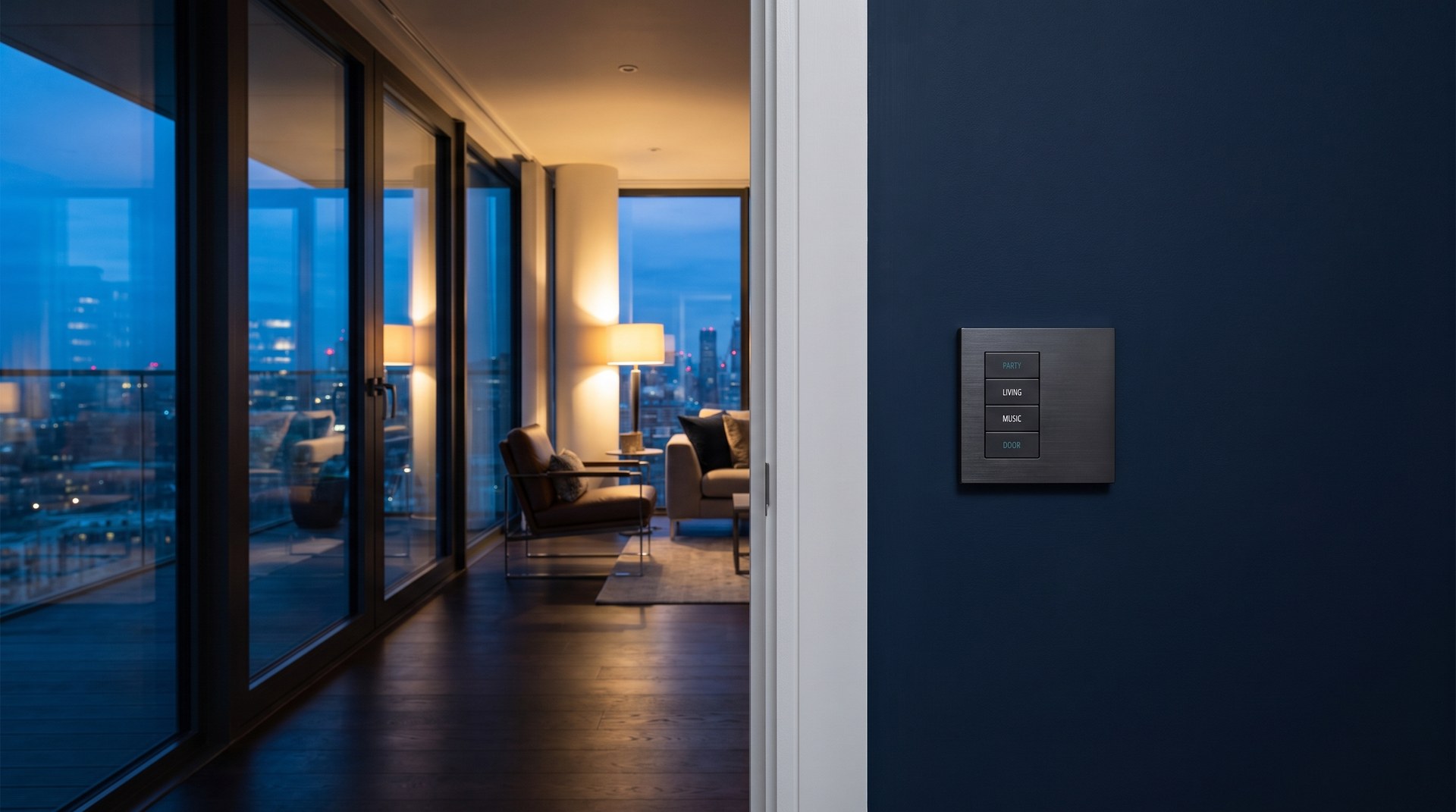
When you unset the security mode, whether at the door panel or from the app as you're pulling into the drive, a separate Smart Event can bring the house back to life:
- Heating returns to the normal Day preset
- A welcome scene activates: hallway lights on, living room set to a warm level
- Comfort circuits turn back on
- Blinds open to their daytime position
By the time you've taken your coat off, the house feels like it was waiting for you. Not because it's packed with technology, but because a few well-considered rules are running quietly in the background.
The energy impact
The practical benefit of a leaving-the-house Smart Event is straightforward: your home stops spending energy on comfort when nobody is there to enjoy it.
Heating is typically the largest energy cost in a UK home. Dropping to an Away preset for even a few hours each day, let alone for a full working day, adds up to meaningful savings across a year. And because the system is automated, it happens consistently. There's no relying on someone remembering to turn the thermostat down on the way out.
When this is combined with other Smart Events, such as scheduling heating around energy tariffs or closing shades to reduce solar gain, the cumulative effect on energy efficiency is significant.
Setting it up yourself
This is where Baulogic differs from traditional high-end systems. With Crestron or Control4, creating or changing an automation like this means calling an integrator, booking a visit, and paying for the change. With Baulogic, you open the Smart Events menu on your touch panel or app, set the trigger to "Security Mode set to Away," add the actions you want, and save. Done.
If your routine changes, perhaps you start working from home on Fridays, or you want to add shading to the event after installing new blinds, you adjust it yourself. No waiting, no callout fee, no explaining what you want to a third party. It's your home, and these are your rules.
To access Smart Events, go to the menu, then My Settings, then Smart Events. From there you can create new events, edit existing ones, or toggle them on and off as needed.
A leaving-the-house Smart Event is one of the simplest automations you can create with Baulogic, and one of the most impactful. It connects a single, everyday action (setting the alarm) to a coordinated response across your entire home: heating adjusts, lights respond, comfort circuits switch off, and energy stops being wasted.
It's a practical example of what built-in, connected home technology should feel like. Not a novelty, not a gadget. Just your home working around the way you actually live.
To find out how Smart Events can be configured for your project, speak with the Baulogic team or explore our frequently asked questions.
More Insights